Online Flash Player
Play any .SWF game or animation instantly. No download, no upload — 100% in-browser via Ruffle.
Open PlayerNo settings to change, no plugins to install. Allow Flash content by simply dropping a SWF file below — it plays instantly via the open-source Ruffle emulator. Plus free tools to check Flash compatibility and test your flash alerts and flashlight.
or click to browse — the game starts instantly
Your file never leaves your device. Everything runs locally via the Ruffle emulator.
Free, instant, and privacy-friendly — everything runs locally on your device.
Play any .SWF game or animation instantly. No download, no upload — 100% in-browser via Ruffle.
Open PlayerOne click tells you whether your browser can run Flash content in 2026 — and how to fix it if not.
Check My BrowserPreview screen-flash notifications — adjust blink speed and colour before enabling alerts on your phone.
Run TestCheck whether your phone's camera flash permission and torch hardware are working — right from the browser.
Test My FlashDeep-dive tutorials on Flash emulation, SWF preservation and flash settings for every device.
Read GuidesTell us what flash-related tool would help you — we ship new tools based on reader requests.
Suggest a ToolDrag the file into the player. It loads locally — nothing is sent anywhere.
The open-source emulator translates Flash into modern web technology in real time.
Go fullscreen, plug in a controller-mapped keyboard, and enjoy the classics.
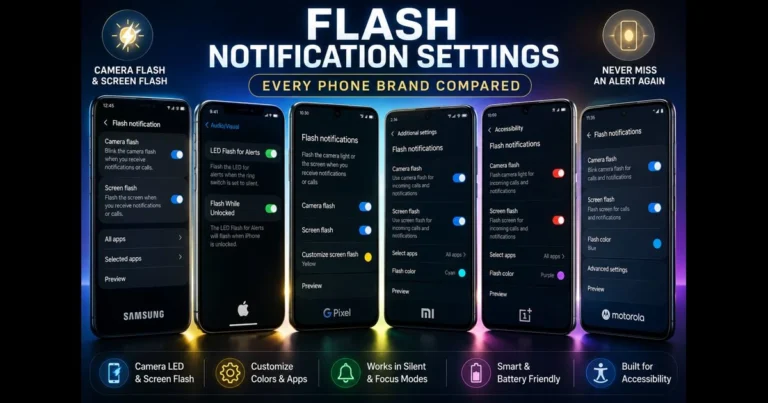
When a chime won’t cut it, flash notification settings step in. Whether you’re in a noisy space, keeping your phone on silent,…
WebGL powers interactive 3D graphics directly in your browser, from product configurators to scientific visualizations. If you’re trying to enable WebGL and…
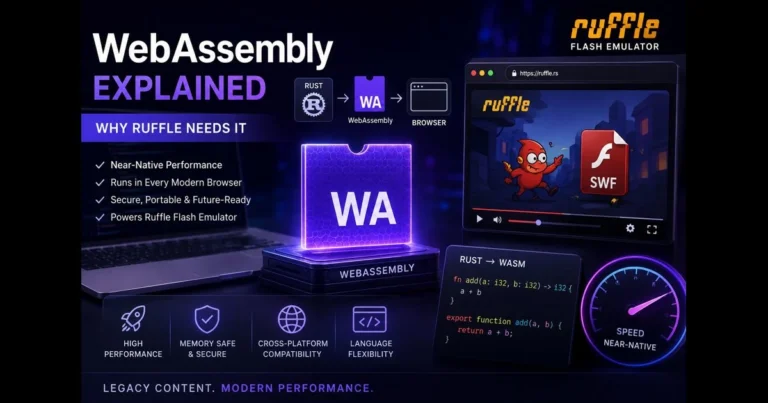
If you’ve heard developers rave about speed in the browser and wondered “what is WebAssembly,” you’re in the right place. WebAssembly (often…
Adobe Flash Player itself is retired, so browsers no longer have an "allow Flash" setting. Instead, Flash content now runs through the Ruffle emulator — either drop your SWF file into our free online player above, or install the Ruffle browser extension to play Flash content on websites automatically.
Yes. While the original Flash Player is gone, Flash files (.swf) still work perfectly through modern emulators. Our player runs them instantly in any current browser — Chrome, Firefox, Edge or Safari — with no plugins or downloads required.
Use the player at the top of this page: drag in a SWF file and it plays immediately. Everything runs locally in your browser via WebAssembly — nothing is installed on your computer and your file is never uploaded to any server.
Running Flash through an emulator like Ruffle is safe because it sandboxes the content with modern browser security. What is NOT safe is downloading old "Flash Player" installers from random websites — Adobe no longer distributes Flash, so those downloads are a common malware trap.
When an app asks to "allow flash", it needs the camera permission — the flashlight is controlled through the camera on both Android and iPhone. Grant it under Settings → Apps → Permissions → Camera, then verify everything works with our free Flashlight Test tool.
On iPhone: Settings → Accessibility → Audio/Visual → LED Flash for Alerts. On Samsung and most Android phones: Settings → Accessibility → Flash notification. Preview what the alerts will look like first with our Screen Flash Test tool.
All major browsers removed built-in Flash support after December 2020 for security reasons, so the old allow/block toggle no longer exists. Run our free Compatibility Checker to confirm your browser supports Ruffle — every up-to-date browser does.