Drop your .SWF file here
or click to browse — the game starts instantly
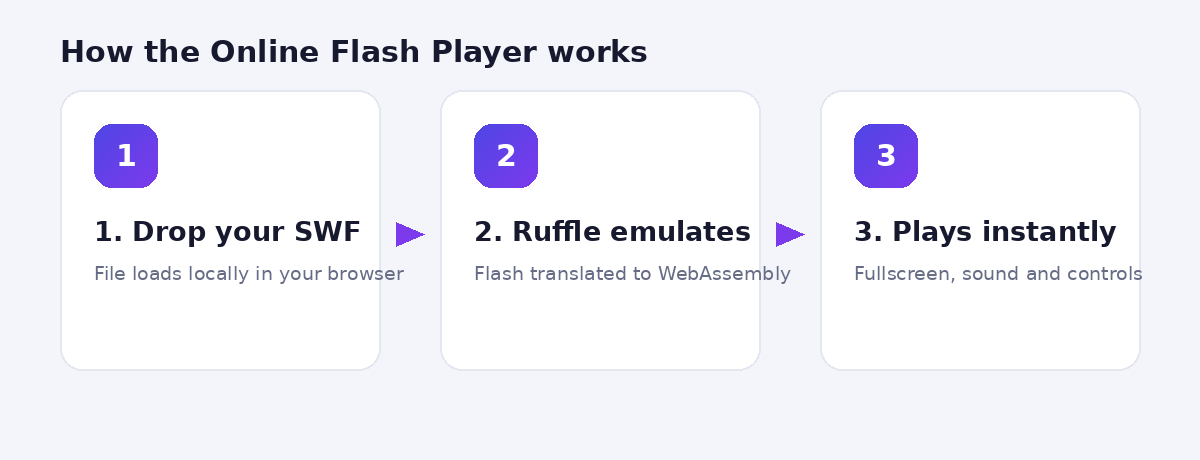
Your file never leaves your device. Everything runs locally via the Ruffle emulator.
How to play a SWF file online
- Drag your .swf file onto the player above (or click to browse).
- The game or animation starts instantly — no plugins, no installs, no signup.
- Click Fullscreen for the best experience, and Load Another File to switch games.
No SWF file to test with?
Download our free test animation and drop it into the player to see it in action: Download test animation (ZIP, 2 KB) — unzip it and drag the .swf file into the player above. If the two squares slide across the screen, everything is working.
Is it safe? Yes — here’s why
Your file is never uploaded to any server. Everything runs locally in your browser through Ruffle, an open-source Flash Player emulator written in Rust — the same technology the Internet Archive uses to preserve Flash content. Ruffle sandboxes the Flash file inside your browser’s modern security model, so even an untrusted SWF cannot touch your system the way it could in the old Flash Player days.
This player vs. other ways to run Flash
| Method | Best for | Install needed? |
|---|---|---|
| This online player | Quickly playing SWF files you already have | No |
| Ruffle browser extension | Flash content embedded on websites | Yes (extension) |
| Flashpoint Archive | Browsing 100,000+ preserved games offline | Yes (desktop app) |
Which files work?
Most classic Flash games and animations (ActionScript 1 and 2) run very well — that covers the vast majority of games from the 2000s era. Late-era ActionScript 3 titles are still gaining support as the Ruffle project develops, so a small number of newer games may show glitches or fail to start.
SWF file won’t load? Try these fixes
- Check the file extension — the player only accepts .swf files. If you have a .fla file, that’s a source project file, not a playable movie.
- Update your browser — Ruffle needs WebAssembly, which every current browser version supports. Run our Compatibility Checker to confirm.
- Disable aggressive ad blockers for this page — some blockers prevent the Ruffle engine from loading.
- Try a different file — if our test animation plays but your file doesn’t, the file itself may be corrupted or use unsupported ActionScript 3 features.
- Check the browser console — press F12 and look for red errors; “RufflePlayer is not defined” means the engine failed to download (usually a network or blocker issue).
Frequently asked questions
Does this work on mobile?
Yes — the player runs on Android and iPhone browsers. Games designed for mouse input work with touch, though keyboard-heavy games are naturally easier on a desktop.
Is there a file size limit?
No hard limit from us — since the file loads locally, the practical limit is your device’s memory. Even large 50 MB game files load fine on modern hardware.
Can I play multiplayer or site-connected Flash games?
Games that needed a server connection to a site that no longer exists cannot restore that connection. Single-player games — the vast majority — work fully.
Does the player save my game progress?
Games that used Flash local storage will keep progress within the same browser session. Progress may reset if you clear browser data.
Where can I legally get Flash games?
The Flashpoint Archive preserves over 100,000 games with the blessing of many original creators, and the Internet Archive hosts a large emulated Flash collection. Avoid random “SWF download” sites — they are a common malware source.