Flashlight & Camera Permission Tester
Tests whether your browser can access the camera and control the torch. Works best on Android phones (Chrome). Your camera feed stays on your device — nothing is recorded or uploaded.
What this tool checks
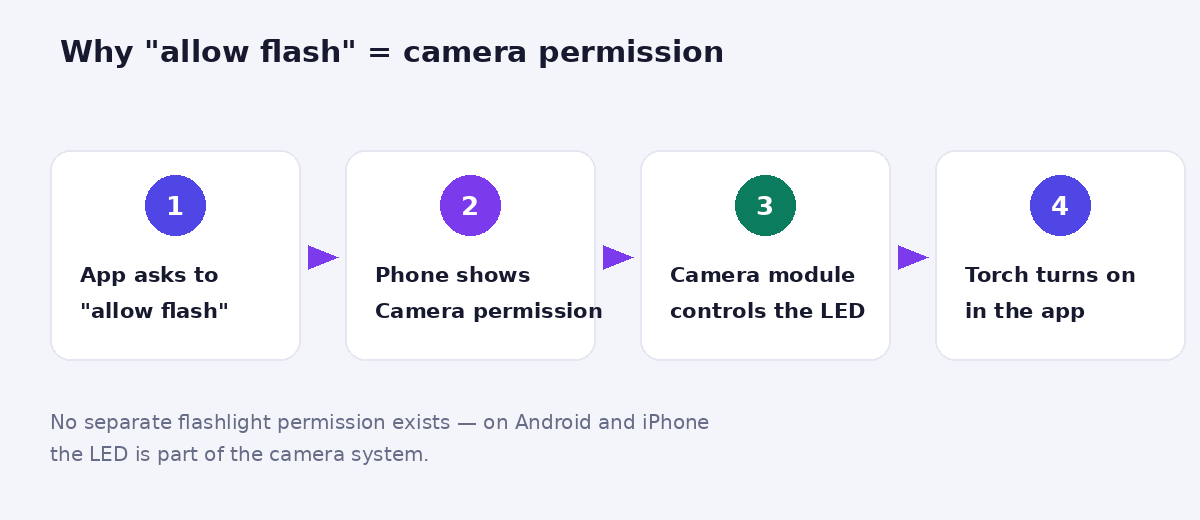
When an app asks you to “allow flash”, it needs the camera permission — the flashlight is controlled through the camera on both Android and iPhone. This tester requests that permission in your browser and, on supported devices, actually toggles the torch so you can confirm two things at once: the permission works, and the hardware works.
How to read your result
| Result | What it means | Next step |
|---|---|---|
| Flash turns ON | Permission granted + torch hardware working | Everything is fine — apps that still fail have their own permission blocked |
| Permission works, no torch control | Your browser doesn’t expose torch to websites (normal on iPhone) | The camera permission itself is confirmed working — test the torch from Control Centre |
| Permission denied | Camera access is blocked for this site | Open the browser’s site settings, allow Camera, retry |
| Camera API unavailable | Very old browser, or a non-HTTPS connection | Update the browser |
Device & browser support for web torch control
Works: Android phones in Chrome, Edge and Samsung Internet. Camera permission only (no torch toggle): iPhone and iPad in Safari — Apple doesn’t expose torch control to websites, so on iOS this tool verifies your camera permission and you test the torch from Control Centre. Desktop: laptops rarely have a torch, but the permission test still works with a webcam.
Your privacy
The camera preview you see stays entirely on your device — nothing is recorded, stored, or transmitted. The video feed exists only so your browser can access the camera hardware that controls the torch. Close the page and access ends instantly.
Flash still not working in your apps? Work through this list
- Check the app’s own permission — Settings → Apps → [the app] → Permissions → Camera must be allowed. Our tool testing green only proves the browser’s permission, not every app’s.
- Charge above 20% — Battery Saver mode silently disables the torch on many phones.
- Let the phone cool down — overheating disables the flash to protect the LED.
- Close other camera apps — only one app can hold the camera at a time; a stuck camera app blocks the torch everywhere.
- Restart the phone — clears stuck camera services, fixes a surprising share of cases.
- Test in the built-in camera app — if flash fails even there after all the above, the LED hardware may need service.
Frequently asked questions
Why does a flashlight need camera permission at all?
The LED is physically part of the camera module, and both Android and iOS expose it through the camera system. There is no separate “flashlight permission” — camera permission is the flashlight permission.
Is it safe to allow camera access to this site?
Yes — the feed never leaves your device, and you can revoke the permission any time from your browser’s site settings. As a rule, only grant camera access to sites you have a reason to trust.
The torch turned on but it’s dim. Is that a problem?
Browsers turn the torch on at a standard level; some phones offer multiple brightness levels only in their own flashlight toggle. Dim-but-working means hardware and permission are both fine.
Does this work on tablets?
Android tablets with a rear flash: yes, in Chrome. iPads: camera permission test only, like iPhone.