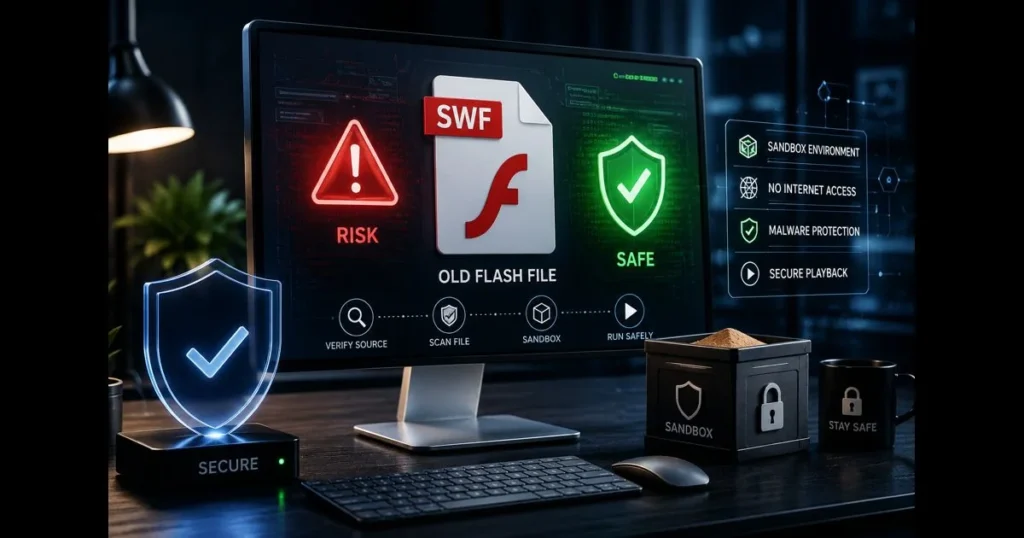
Many individuals still possess old animations, training modules, and games in .swf format. The question often arises: are Flash files safe to run in 2026? The short answer is “it depends”—on the file’s origin, how you open it, and the protections you implement. This guide covers Flash files, the reasons behind the technology’s decline, actual security risks, and practical methods to access legacy content without jeopardizing your system or data.
You’ll find clear, step-by-step precautions and modern alternatives that often eliminate the need to run original Flash code. If you need specific content, there are responsible ways to access it. If you’re simply seeking nostalgia, there are safer options that feel nearly identical to the original experience. (See: Adobe Flash – Wikipedia.)
- Understanding Flash Files
- The Decline of Flash Technology
- Potential Risks of Running Flash Files
- Can SWF Files Be Safe?
- Best Practices for Running Flash Files Safely
- Alternatives to Flash Files
- Conclusion: Weighing the Risks and Benefits
1. Understanding Flash Files
Definition and purpose of Flash files
SWF (Shockwave Flash or Small Web Format) files are containers for vector graphics, bitmap images, audio, and scripts written in ActionScript. They were designed for the compact delivery of multimedia and interactive experiences over the web before modern browsers could handle rich graphics natively.
Unlike static images or simple GIFs, SWFs respond to clicks, keystrokes, and timeline events. They can load external resources, communicate with web pages, and, in some contexts, interact with the file system via projectors.
Common uses of SWF files in multimedia
For years, SWF powered browser games, animated intros, banner ads, educational simulations, and video players. A museum kiosk might run a SWF-based touchscreen tour, while an e-learning course could layer narration over interactive diagrams, all packaged in one file.
This versatility explains why many organizations still archive SWFs today—there’s valuable content inside, not just nostalgia.
2. The Decline of Flash Technology
Adobe’s end of support for Flash Player
Adobe ended support for Flash Player on December 31, 2020, and urged users to uninstall it. The company ceased updates and security patches, eventually blocking Flash content from running in the official player beginning January 12, 2021. Major browsers removed plugin support, citing security concerns and the web’s shift to open standards.
This wasn’t a minor tweak; it marked the end of the official pipeline for running Flash files online.
Impact on users and developers
Users soon realized old files wouldn’t play in modern browsers. Developers shifted to HTML5, CSS, JavaScript, and WebGL. Some studios and educators lost access to original source files (FLA), complicating conversion efforts.
Open-source emulators emerged to preserve cultural artifacts and maintain access to learning modules. While they can’t replicate every feature, they offer a safer alternative to reviving the original plugin.
3. Potential Risks of Running Flash Files
Vulnerability to malware and viruses
The term “Flash file virus” often refers to malicious SWFs or fake installers disguised as Flash updates. The attack surface included memory corruption bugs in legacy players, malicious ActionScript that exploited APIs, and social engineering tactics that tricked users into running harmful software.
Because Flash could load external content and communicate with hosting pages, a malicious SWF could exploit other vulnerabilities—especially when combined with outdated players.
Security risks associated with outdated software
The primary risk lies in the player itself, not just the file. Old plugins no longer receive updates, and third-party “portable” players may re-enable risky behaviors that the official player blocked. This is where serious security risks manifest—when SWFs run in runtimes that expose the operating system or network.
There’s also the human factor. Many “how to play swf online” pages promote dubious downloads. Fetching an untrusted runtime from a random site increases your risk before you even open the SWF.
4. Can SWF Files Be Safe?
Characteristics of a safe SWF file
No file is inherently safe, but certain traits can lower risk. A relatively safe SWF file typically has the following characteristics:
- The SWF is static or self-contained (no network calls or dynamic loads).
- It does not rely on ExternalInterface calls, FSCommand, or local file operations.
- It originates from a verified source (original developer, reputable archive, or your organization).
- It operates correctly in a modern emulator that sandboxes ActionScript and avoids OS-level access.
Even then, the environment matters. A harmless animation in a tightly sandboxed player is far safer than the same file opened in a permissive, outdated runtime.
How to verify the safety of Flash files
<pIf you need to open a legacy SWF, follow these disciplined steps to enhance safety:
- Scan the file with reputable security software. Most suites still recognize common SWF-borne malware signatures.
- Inspect the file’s internals using a decompiler like JPEXS Free Flash Decompiler (FFDec). Look for suspicious code patterns, such as navigateToURL with unknown domains or ExternalInterface calls to untrusted endpoints.
- Check if the SWF runs in a modern emulator (like a WebAssembly-based renderer) instead of a legacy plugin. If it works there, you’ve likely mitigated significant risks.
- Validate the file’s provenance. Files from official archives or your backups are preferable. If you need to download Flash games, ensure you have permission and confirm hashes from the distributor.
- Run tests offline. Disconnect from the internet or block the player’s process in your firewall to see if the SWF tries to reach outside hosts.
This layered approach doesn’t guarantee safety but significantly reduces your attack surface.
5. Best Practices for Running Flash Files Safely
Using virtual machines for testing
A virtual machine (VM) serves as your safety net. Create a clean snapshot, test the SWF, and roll back instantly if anything seems off. This isolates system changes and preserves your primary environment.
Whether using VirtualBox, VMware, Parallels, or Windows Sandbox, keep the VM minimal and fully patched. Snapshots are invaluable during experimentation.
Employing security software and firewalls
Layered defenses are essential. Keep endpoint protection active in the VM, enable real-time scanning, and log detections. Set outbound firewall rules to restrict the Flash player or emulator from calling arbitrary domains. An SWF that quietly phones home will be detected quickly under these conditions.
One more rule: never install mysterious runtimes from unverified sources. If a website prompts you to update or re-enable Flash, assume it’s a trap. Close the tab and seek a trusted emulator instead.
Flash file safety tips
- Prefer emulation over legacy plugins. A modern emulator significantly reduces the risk associated with old players.
- Test offline by default. Only allow network access if absolutely necessary—and even then, restrict destinations.
- Open one file at a time. If the SWF attempts to load resources from unknown locations, stop and reassess.
- Avoid browser plugins. Use standalone players or emulators to minimize risk.
- Document what runs. For organizations, note the source, hash, emulator used, and testing date. This helps prevent repeat mistakes.
These Flash file safety tips turn a potentially risky experiment into a controlled process.
6. Alternatives to Flash Files
Modern technologies for multimedia content
Most Flash-era experiences translate well to contemporary web technologies:
- HTML5 Canvas and SVG for animations and drawings.
- WebGL or WebGPU for complex graphics.
- JavaScript frameworks for interactivity, UI, and state management.
- WebAudio for sound; MP4/H.264, WebM, or adaptive streaming for video.
- Lottie (JSON-based) for vector motion graphics that remain crisp at any resolution.
- Unity for rich 2D/3D interactive experiences, with WebGL exports for the web and native builds for desktop and mobile.
- Adobe Animate for authoring vector animations and interactive content that export to HTML5 Canvas and other modern formats.
If your goal is to preserve and access content, a safe emulator often surpasses attempts to play SWF online on dubious sites. When modernizing, migrate to these standards to avoid a repeat of Flash’s end-of-life scramble.
How to convert Flash content to safer formats
Conversion depends on what you have. With original source files in Adobe Animate (formerly Flash Professional), you can export to HTML5 Canvas and re-implement ActionScript logic in JavaScript. Without source files, you’re limited to decompiling assets and rebuilding behavior.
A practical approach includes:
- Identify what must be preserved: visuals, sound, interactivity, or all three.
- Extract assets using a decompiler to formats like PNG/SVG/MP3/JSON.
- Recreate logic in JavaScript, mapping timelines and interactions to modern event handlers.
- Test for accessibility and performance; ensure it functions well on mobile, high-DPI screens, and with assistive technology.
- Archive the original SWF alongside your modern build for provenance.
When conversion isn’t feasible, an emulator can serve as a long-term viewer while you prioritize which titles deserve a full rebuild. If sharing classics, ensure you download flash games legally or host content you own; preservation and nostalgia do not override copyright.
7. Conclusion: Weighing the Risks and Benefits
Summary of key points
Legacy SWFs can still be valuable, but safety depends on two factors: the runtime and the process. Old players are a weak link; modern emulators and sandboxes minimize the chances of a flash file virus or exploit compromising your system. Verifying provenance, scanning files, and inspecting scripts are essential steps, not optional extras.
When possible, choose Flash file alternatives like HTML5 Canvas and WebGL; for motion graphics, formats like Lottie integrate well with modern web technologies but are not a drop-in replacement for SWF. When not, contain risk with VMs, firewalls, and diligent inspection. That’s the practical balance today, in a post-2020 landscape where Adobe Flash Player has been discontinued.
Final thoughts on using Flash files today
The bottom line: running Flash files is safest when you avoid legacy plugins, isolate execution, and treat each SWF as untrusted until proven otherwise. Since Adobe ended support for Flash Player in 2020, favor emulators and content migration over attempts to revive the original plugin. If preserving history, use reputable emulators and archives; if rebuilding, lean on modern standards to ensure your content lasts beyond the next platform shift. And if a site nudges you to install a “quick update,” remember how often that leads to a fake flash player.
Ready to move forward? Inventory your SWFs, pick one to evaluate, and apply the checklist above. If it passes, keep it in an emulator; if not, plan a migration. Either way, take concrete steps today to protect your library—and your devices—while keeping the content that still matters alive.
Frequently Asked Questions
Are Flash files safe to download?
Flash files can contain malware or viruses, making them potentially unsafe to download. It is important to only download Flash files from trusted sources.
What are the risks associated with using Flash files?
Using Flash files can expose your system to security vulnerabilities, especially since Adobe no longer supports Flash Player. This can lead to exploitation by malicious actors.
How can I ensure Flash files are safe?
To ensure Flash files are safe, use up-to-date antivirus software, avoid downloading from unverified sources, and consider alternative formats that are more secure.