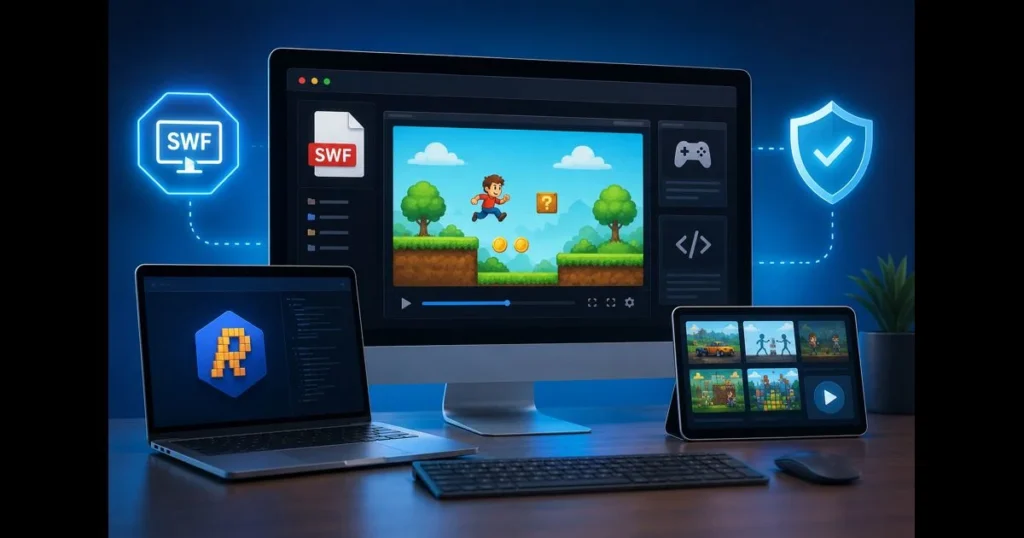
If you’re trying to open SWF files without Flash Player, you’re not alone. Adobe retired Flash years ago, yet many animations, e-learning modules, and indie games remain trapped in .swf files on old hard drives and archives. Fortunately, you can open SWF files today—safely and legally—using modern emulators, curated preservation projects, and conversion tools that operate on Windows, macOS, Linux, and in the browser. This guide compiles everything you need to know, from dependable Flash Player alternatives like Ruffle and BlueMaxima’s Flashpoint to practical steps for playback, troubleshooting, and conversion. We’ll also highlight our site’s built-in SWF Player (powered by open-source emulation) to test files directly in your browser without plugins. Whether you need a quick SWF file viewer for a one-off clip or a robust library manager for hundreds of titles, you’ll find options that fit your project and device.
- Understanding SWF Files
- Why Flash Player is No Longer Available
- Popular Alternatives to Open SWF Files
- Using Desktop Applications to Open SWF Files
- Online Tools for Opening SWF Files
- Converting SWF Files to Other Formats
- Troubleshooting Common Issues
- Future of SWF Files and Animation
1. Understanding SWF Files
What is an SWF file? SWF (Small Web Format or Shockwave Flash) is a container for vector graphics, raster images, audio, and a timeline controlled by ActionScript code (versions 1, 2, or 3). An SWF might be a straightforward timeline animation or an interactive piece—think mouse-driven games, quizzes, and multimedia interfaces. (See: SWF – Wikipedia.)
SWFs were once ubiquitous on the web. Designers used them for banner animations, educators packaged interactive labs, and indie creators built pixel-perfect platformers and rhythm games. Some SWFs even wrap video streams internally, acting as shells around FLV or H.264 content. That distinction is crucial for determining whether you can extract media directly or need to emulate interactivity. Related reading: play swf online.
2. Why Flash Player is No Longer Available
Adobe announced the end of Flash years ago, ceasing distribution and updates of the plugin. Browser makers removed native support, and Adobe implemented a content kill switch for the old runtime. The reasons included security concerns, the rise of open web standards (HTML5 Canvas, WebGL, JavaScript), and the maintenance burden posed by a legacy plugin installed on billions of machines. Related reading: what is swf file.
For anyone who built a catalog around SWF, the fallout was significant. Developers lost an officially supported runtime; organizations with training archives needed migration plans; hobbyists found their favorite creations stranded. The silver lining is that a healthy preservation and emulation ecosystem emerged, providing safer, modern paths to bring content back to life—without reinstalling legacy Flash. Related reading: ruffle vs flashpoint.
3. Popular Alternatives to Open SWF Files
Here are the leading options for opening SWF files in 2023. Compatibility varies by ActionScript version and how the SWF was authored, so keep multiple tools handy.
- Ruffle (open source): A Flash Player emulator written in Rust, especially effective for ActionScript 1/2 content, with growing support for ActionScript 3. Available as a desktop app and a WebAssembly-powered in-browser runtime, it’s safe and actively maintained.
- BlueMaxima’s Flashpoint: A preservation launcher with a vast curated library. It includes a launcher, emulation layers, and configuration for each title, offering a “just works” experience for known games and animations.
- Internet Archive’s in-page player: Many archived SWFs use Ruffle directly on archive.org pages, ideal for quick playback of well-known items without software installation.
- Elmedia Player (macOS): This media player can open some SWFs, particularly those that are non-interactive or video-focused, but interactivity may be limited compared to Ruffle or Flashpoint.
- Lightspark (open source): An alternative runtime with partial AS3 support. Results can be mixed, and development progress varies. Manage expectations accordingly.
- Standalone “SWF Player” apps for Windows: Various small utilities exist, many embedding system web controls. Treat them as basic SWF file viewer tools for non-interactive content.
- Enterprise options (e.g., CheerpX for Flash): Virtualized solutions aimed at organizations needing to keep legacy SWF apps running in a browser. Overkill for casual use but invaluable for regulated environments.
- CheerpX for Flash (enterprise/commercial): A WebAssembly-based virtualization of the original Flash runtime that runs legacy SWF applications in modern browsers with high compatibility, including complex AS3 enterprise apps. Best suited for organizations that require continuity, compliance, and centralized management.
- AwayFL (open source): A TypeScript/WebGL reimplementation of parts of the Flash/Away3D stack aimed at running AS3 content on the web. Useful for developers experimenting with porting or running specific projects, but coverage is uneven and generally not a drop-in player.
A common question is Ruffle vs. Flashpoint. Ruffle serves as a modern emulator for local or in-browser use, ideal for AS1/AS2 content and safety, while Flashpoint provides a curated platform with launchers and configurations for specific titles, often the easiest route for games that rely on particular quirks, external assets, or AS3 features.
4. Using Desktop Applications to Open SWF Files
Method A: Ruffle Desktop (Windows, macOS, Linux)
- Download the latest Ruffle desktop build from the official site or trusted repositories. Select the version for your OS.
- Open Ruffle, then drag-and-drop your .swf into the window or use File > Open to select it.
- Use the on-screen controls or keyboard shortcuts to start/stop playback. Adjust the window scale for crisp edges if the project expects a specific stage size.
- If your SWF references external files (XML, images, audio), place the SWF in its original folder structure. Relative paths matter.
Tips: Ruffle excels with AS1/AS2. If features are missing in an AS3-heavy project, try a nightly build or switch to Flashpoint for that title. Keep filenames simple and avoid deep paths if external assets fail to load.
Method B: BlueMaxima’s Flashpoint (Windows primary, community ports elsewhere)
- Install Flashpoint Infinity (smaller download-on-demand) for quick exploration, or the Ultimate edition for offline access to everything.
- Search within the launcher for your title. If it’s in the catalog, click Play. For your own SWF, consult Flashpoint’s documentation to create a new entry pointing to your file and any dependencies.
- Let the launcher handle the correct emulator/runtime and security sandboxing—that’s where Flashpoint excels.
Tips: Flashpoint’s strength lies in its curated configurations. If Ruffle stumbles on an AS3-dependent game, Flashpoint often runs it with fewer tweaks.
Method C: Elmedia Player (macOS) or Windows SWF viewers
- Open the player and load your SWF. Playback is usually smooth for pure timeline animations or video-wrapped SWFs.
- For interactive content, test controls and menus. If interactivity fails, switch to Ruffle or Flashpoint.
Tips: These players work well as quick SWF file openers for simple cases. Keep a backup emulator for more complex SWFs.
Using Our Site’s Built-in SWF Player
Our site features a built-in SWF Player (swf_player) that runs Ruffle in your browser. Upload a local SWF or drop it onto the page, and it will attempt to play without plugins. This is perfect for quick checks or sharing a reproducible test with a teammate. If your file requires local assets, zip the entire project and maintain its relative paths before uploading.
Performance tips for desktop playback:
- Keep SWF and asset folders together; preserve original relative paths.
- Try a current Ruffle nightly for AS3 improvements; test Flashpoint if features still fail.
- Scale the window to integer multiples (100%, 200%) to avoid blurry vectors.
- On macOS and Linux, prefer official builds or well-maintained Flatpaks/Homebrew casks for stability.
5. Online Tools for Opening SWF Files
If you’d rather not install anything, a web-based emulator can quickly test or play SWF files online. Our site’s built-in SWF Player (swf_player) is designed for this purpose: drag in a file, press play, and you’re done. You can also test on Ruffle’s demo page or locate titles on archive.org that already embed Ruffle.
Pros of online tools:
- No installation required; works on locked-down machines.
- Ideal for quick previews, demos, and lightweight animations.
- Easy sharing of reproducible steps: “upload, click, observe.”
Cons compared to desktop applications:
- File-size limits and upload times for large projects.
- Privacy concerns if your SWF contains proprietary training content or sensitive data. Prefer offline emulators for such materials.
- Some features (file system access, microphone/camera) are restricted in browsers or not yet emulated.
A practical workflow: validate basic playback online, then switch to Ruffle desktop or Flashpoint for better performance, local file access, or consistent results for complex projects.
6. Converting SWF Files to Other Formats
There are two very different goals: preserve interactivity or capture a linear video. No single tool can magically convert every interactive SWF into HTML5 or MP4 with perfect fidelity. Choose your approach based on the nature of the file. Results may vary greatly depending on the SWF’s ActionScript version, reliance on external assets, use of filters/effects, dynamic loading, and other project-specific characteristics—expect to test multiple tools and workflows.
Path 1: Turn a Linear Animation into a Video
If your SWF is essentially a timeline animation, converting it to MP4 is straightforward.
- Check if it’s linear: Load it in Ruffle or a media player and scrub. If playback doesn’t depend on clicks or code, you’re in luck.
- Use a capture approach: Play the SWF in Ruffle desktop and record the window with OBS or your OS’s screen recorder at the desired resolution and frame rate.
- Extract audio separately if needed: Tools like JPEXS Free Flash Decompiler can export embedded sounds at source quality, which you can then combine with your captured video using a video editor.
Advanced option: For SWFs that wrap embedded video (FLV/H.264), ffmpeg can sometimes demux or transcode directly after probing the file. Success depends on how the SWF was authored.
Path 2: Keep or Rebuild Interactivity
Converting an interactive SWF to web-native tech is challenging without the original FLA or source code. Here’s what’s realistic:
- Run it via emulation (Ruffle, Flashpoint) and keep it that way. For many projects, emulation is the preservation strategy.
- Rebuild using modern tools: If you have source assets, Adobe Animate can export to HTML5 Canvas. Without FLAs, JPEXS can extract vectors, bitmaps, and scripts to guide a partial rebuild in Canvas/WebGL frameworks or game engines.
- AwayFL and related projects can translate parts of AS3 content to web tech, but coverage is uneven. Consider these developer tools rather than one-click solutions.
Rule of thumb: if menus, timelines, and logic are minimal, you can often capture to video cleanly. For a full game with physics or data input, aim for emulation or a rewrite.
7. Troubleshooting Common Issues
Even with solid tools, SWFs can be finicky. Here are common issues and fixes that usually work.
- “swf not loading ruffle”: Verify the ActionScript version. Ruffle’s AS1/AS2 coverage is strong, while AS3 is still evolving. Try a recent nightly build, then test the same file in Flashpoint for comparison.
- Blank screen or endless preloader: Ensure the SWF is accompanied by its original asset folder and XML files. Many projects load external content via relative paths; moving just the SWF breaks it.
- Audio but no video (or vice versa): If it’s a video-wrapped SWF, try Elmedia or run ffmpeg -i file.swf to inspect streams. For pure timeline cases, capture via Ruffle and mux separate audio from JPEXS.
- Keyboard or mouse input doesn’t register: Click inside the stage to ensure focus. Disable OS-level hotkeys that may intercept arrow keys, space, or function keys.
- Save data and local storage missing: Many SWFs used Local Shared Objects (LSOs). Emulators may store equivalents differently or not at all. Check the emulator’s documentation for data storage locations and persistence support.
- Camera/microphone prompts don’t work: Browser-based emulators rarely implement legacy device dialogs. Use a desktop emulator, or accept that these features may remain unavailable.
- Choppy performance on high-DPI displays: Set window size to an integer scale (e.g., 200%) and disable extra OS scaling. Vector art looks best at whole-number zoom levels.
- Security or SmartScreen warnings: Stick to official downloads and well-known mirrors. On macOS, you may need to allow the app in System Settings > Privacy & Security after the first launch.
- Courseware and SCORM packages won’t start: These often expect a specific HTML launcher and LMS context. Extract just the SWF and run it in Ruffle to test the core animation, but full course functionality may require an LMS simulator or conversion.
If you’re stumped, test the same SWF in three places—our site’s SWF Player, Ruffle desktop, and Flashpoint. Differences in behavior usually indicate whether it’s an AS version gap, a missing external asset, or an unsupported feature.
8. Future of SWF Files and Animation
By 2023, SWF is a legacy format, but that doesn’t mean the content is lost. Emulation via WebAssembly has made browser playback practical and safe, and community preservation projects continue to catalog and maintain access to cultural artifacts that shaped a generation of web creativity.
For new work, creators have transitioned to HTML5 Canvas, WebGL frameworks, SVG-based animation, and engine-driven pipelines. If you want small vector animations that work across platforms, tools exporting to Lottie (JSON-based animation) are popular for their compactness, scriptability, and native rendering on the web and in mobile apps.
Games and rich interactivity often start in engines like Unity or Godot, targeting WebGL/WebAssembly builds for browser distribution. The modern stack embraces open standards, progressive enhancement, and strong accessibility baselines—areas where legacy Flash projects often struggle without significant rework.
The practical takeaway: For historical SWFs, emulation and selective conversion are your best bets. For anything new, build on web-native tech to avoid repeating the retirement cycle down the road.
Ready to get that old animation or game running again? Try our site’s built-in SWF Player for a quick test, then choose a desktop route—Ruffle for lean AS1/AS2 content, Flashpoint for tricky titles—once you know what you’re dealing with. If you need an archival copy, capture a high-quality MP4 and back up the original folder structure. When weighing Ruffle vs. Flashpoint for a longer project, start with both on a few representative files and select the stack that delivers the cleanest results with the least effort.
Frequently Asked Questions
How can I open SWF files without using Flash Player?
You can open SWF files using alternative software such as Ruffle, a Flash Player emulator, or by using a web browser that supports SWF files through extensions.
Are there any online tools to view SWF files without Flash Player?
Yes, there are several online SWF viewers available that allow you to upload and view SWF files directly in your browser without needing Flash Player.
What are the risks of opening SWF files with third-party software?
Using third-party software to open SWF files can pose security risks if the software is not reputable, as SWF files can potentially contain malware or harmful scripts.