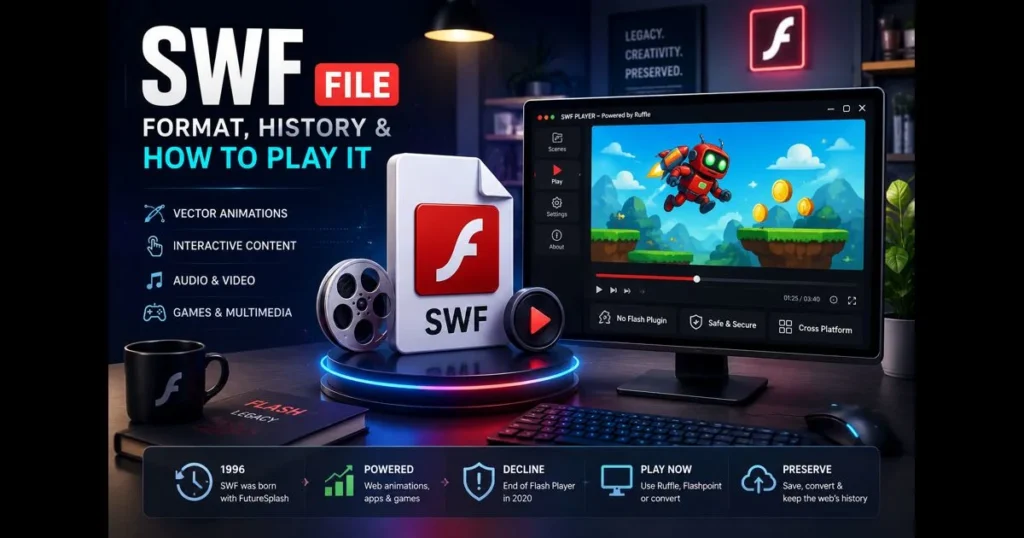
Curious about SWF files and their relevance today? SWF is a legacy container for interactive animations, vector graphics, games, and video that once dominated web multimedia. While mainstream browsers no longer support Flash, SWF files still exist in archives, museums, classrooms, and many older websites. If you’ve encountered an old training module, web cartoon, or mini-game, understanding the SWF format, its history, and how to play SWF files safely will help you appreciate and preserve valuable content. Related reading: swf vs flv.
This guide explores SWF from its definition to its inner workings, outlines its history, and presents modern methods to view, convert, or migrate these files. You’ll find practical tips, clear examples, and realistic expectations for both simple animations and complex interactive projects. Whether you’re a researcher, educator, or simply nostalgic, consider this your manual for engaging with SWF multimedia content. (See: SWF – Wikipedia.)
- 1. Understanding SWF File Format
- 2. The Meaning of SWF
- 3. History of SWF Files
- 4. How SWF Files Work
- 5. Common Uses of SWF Files
- 6. How to Play SWF Files Today
- 7. The Decline of SWF Files
- 8. Converting SWF Files to Modern Formats
- 9. Conclusion
1. Understanding SWF File Format
Definition of SWF file format
SWF (often pronounced “swiff”) is a compiled, binary file format originally associated with Adobe Flash. It can bundle vector shapes, bitmap images, text, audio tracks, timeline animations, and scripts written in ActionScript. Think of it as a portable movie theater and game engine wrapped in a lightweight package.
Since it’s compiled, the SWF format is not meant for editing. Creators traditionally used tools like Flash/Animate with editable project files (FLA) before exporting a compact SWF for distribution on websites and applications.
Characteristics of SWF files
- Vector-first: SWFs favor vector graphics, which scale crisply and keep file sizes modest.
- Compressed delivery: Many SWFs are compressed, enabling quick streaming over slow connections.
- Event-driven interactivity: Buttons, timelines, and scripts respond to user input.
- Self-contained assets: Fonts, spritesheets, sounds, and sometimes video can be embedded for consistent playback.
- Bytecode execution: Scripts compile to bytecode for a virtual machine inside the Flash Player or an emulator.
When comparing SWF to FLV, remember that SWF is an interactive container that includes animations and logic, while FLV is primarily a video container.
2. The Meaning of SWF
Origin of the acronym SWF
The meaning of SWF has evolved over time. Initially, Macromedia referred to it as “Shockwave Flash” to align it with its older Shockwave brand. Later, “Small Web Format” emerged as a more user-friendly label focused on compact delivery for the web. Both expansions refer to the same file extension: .swf.
Evolution of the term in digital media
Colloquially, “Flash” became the umbrella term for the platform, authoring tool, and player. However, professionals used “SWF” specifically when discussing the distributable runtime file versus project files (FLA/XFL) or related containers like FLV.
This distinction is crucial today, as modern emulators and conversion workflows often target the SWF rather than the original source project.
3. History of SWF Files
Development by Macromedia and acquisition by Adobe
SWF originated as FutureSplash, a vector animation technology created by FutureWave Software in the mid-1990s. Macromedia acquired it, rebranding the tool as Flash and popularizing the format across the web. Adobe later acquired Macromedia, inheriting Flash and the SWF ecosystem.
This lineage explains the presence of both Macromedia and Adobe names in SWF’s history—different eras of the same technology.
Milestones in SWF file evolution
- From simple timelines to scripted experiences: Early SWFs primarily featured keyframed animations. ActionScript 1 and 2 expanded interactivity, while ActionScript 3 introduced a robust virtual machine for complex applications and games.
- Audio and video integration: SWF added synchronized audio and could host video, facilitating web cartoons, music sites, and trailers.
- Banner ads and microsites: Designers used SWF for motion-rich interfaces long before CSS animations became common.
- 3D and performance enhancements: Features like Stage3D accelerated graphics, powering sophisticated web games.
- End of life for the official plugin: Adobe ceased Flash Player support in 2020, leading browsers to remove the plugin. Preservation now relies on emulators and archives.
4. How SWF Files Work
Technical aspects and structure of SWF files
At the file level, SWF consists of a sequence of tagged records. The header declares a signature, version, and movie dimensions. Following that is a stream of tags and bytecode that define symbols, timelines, shape fills, font glyphs, sounds, and embedded bitmaps.
Interactivity is driven by ActionScript bytecode for one of two virtual machines: AVM1 (for ActionScript 1/2) and AVM2 (for ActionScript 3). The runtime manages a display list of visible objects, a main loop for advancing frames, and an event system for input and timers.
How SWF files render multimedia content
Vectors are rasterized on the fly, allowing a small SWF to animate a logo crisply at any size. Audio typically streams or preloads in sync with the timeline. For video, the SWF may embed a video stream or act as a player skin that loads external media.
Since everything can be represented in tags and scripts, a single file can behave like a mini app. This flexibility made SWF multimedia content widely used and also challenging for emulation, especially for highly scripted files.
5. Common Uses of SWF Files
Applications in web design and gaming
Before HTML5 matured, SWF powered site intros, animated navigation, product tours, and interactive maps. It also supported a thriving indie game scene, with physics puzzlers, platformers, rhythm games, and point-and-click adventures living in the browser as SWF. Notable examples that shaped the indie and social gaming scenes include Alien Hominid, Fancy Pants Adventure, Bloons Tower Defense, Happy Wheels, and Facebook-era hits like FarmVille; many of these and thousands more are preserved in collections such as Flashpoint.
Even now, archives of these titles see daily visits from players and preservationists, underscoring the ongoing relevance of SWF files.
Usage in animations and advertisements
Studios and independent artists released weekly animated shorts via SWF, often featuring vector-sharp linework and synced music. Advertisers embraced motion and interactivity through rollovers, mini-quizzes, and dynamic feeds. In the early 2000s, SWF became the de facto standard for online ads across major networks—think expanding banners, 300×250 and 728×90 placements, site takeovers, and microsites—before HTML5 ad formats took over.
As ad tech transitioned to HTML5 and video, many workflows migrated, but the legacy remains preserved in SWF.
6. How to Play SWF Files Today
Software options for playing SWF files
The official browser plugin is gone. Modern paths fall into these categories:
- Emulators (replacement for the deprecated Flash runtime): Ruffle is an actively developed reimplementation that runs many ActionScript 1/2 projects and a growing number of ActionScript 3 ones. It’s available as a desktop app, a browser extension/polyfill, and an embeddable library, and it replaces the need for the old plugin.
- Preservation launchers: BlueMaxima’s Flashpoint provides a curated library and a launcher that uses emulation and archived components to play content locally. It is not a browser plugin.
- Standalone players/viewers: Some desktop apps can open basic SWFs without a browser, but interactive or AS3-heavy content may not work reliably.
- Render/convert workflows: For non-interactive animations, render the SWF to video (see Section 8). On Windows, tools like Swivel can help; alternatively, play in an emulator and capture for encoding.
If you need to open swf without flash player, an emulator like Ruffle or a preservation launcher like Flashpoint is the modern choice. For quick checks, some sites allow you to play swf online by dragging and dropping into a sandboxed page. These approaches replace the removed official Flash support rather than restoring the old plugin.
We also provide a simple way to try this: our built-in SWF player, swf_player, lets you upload a file and run it in your browser without installing old plugins. It’s convenient for verifying a file or demoing a clip.
Browser compatibility and alternatives
Current browsers block legacy Flash plugins, so realistic options include:
- Using an emulator extension on the page where the SWF appears (if site policy allows client-side scripts).
- Downloading the SWF and opening it with a desktop emulator or preservation launcher.
- Converting the content to HTML5 or video and hosting that modern format instead.
For organizations with compliance requirements, consider migrating key materials rather than relying on ad-hoc playback environments. This reduces security risks and dependence on legacy features.
7. The Decline of SWF Files
Impact of HTML5 and modern web standards
Canvas, SVG, WebGL, WebAudio, and modern JavaScript frameworks now fulfill the same creative needs natively and without plugins. Standards have improved responsive design, accessibility, and search engine rendering, making SWF less appealing for new projects.
Reasons for the phasing out of SWF files
- Security concerns: The plugin required frequent updates, and browsers adopted stricter sandboxing models.
- Mobile reality: Native performance and battery life on mobile devices rendered plugin-based runtimes impractical.
- Open distribution: Creators preferred formats that run universally without requiring downloads.
- Maintainability: Teams favored source-controlled, inspectable code over compiled binaries.
The decline of SWF files was gradual, marking a pivot toward open web technologies. Preservation, rather than production, is now the primary focus.
8. Converting SWF Files to Modern Formats
Tools and methods for conversion
There’s no single “export to HTML5” button for arbitrary SWF, especially if it’s interactive. Your best path depends on the content type:
- Linear animations (no interaction): On Windows, Newgrounds’ Swivel remains a popular option for rendering SWF to MP4 or WebM, though it has not seen active development in recent years. Alternatively, run the SWF in an emulator (e.g., Ruffle desktop) and capture it with a screen recorder (such as OBS) before trimming and encoding with a tool like FFmpeg. If you have the original FLA, Adobe Animate’s Export Video can produce high-quality renders.
- Audio extraction: Utilities like JPEXS Free Flash Decompiler can extract embedded audio assets (and sometimes images or vector shapes) from a SWF for reuse in modern workflows.
- Interactive projects: If you possess the original source (FLA or code), re-export to HTML5 Canvas using Adobe Animate or reimplement the logic with modern libraries. If only the SWF is available, emulation (Ruffle/Flashpoint) is often more feasible than full conversion.
- Distribution without plugins: You can embed an emulator in a web page, allowing visitors to access content without installation. This isn’t conversion, but it delivers a plugin-free experience.
Plan ahead: archive both the SWF and the source files if possible. Your future self will appreciate it.
Benefits of converting SWF to other formats
- Longevity: Formats like MP4, WebM, and HTML5 Canvas are broadly supported and less likely to become obsolete.
- Compatibility: Converted content runs on various devices without the need for special players.
- Security and compliance: Removing a binary runtime reduces risk and audit overhead.
- Accessibility: Modern pipelines allow for adding captions, ARIA roles, and semantic structure that SWF rarely provided.
9. Conclusion
SWF stood at the crossroads of art and code, enabling playful microsites, compact animations, and a generation of browser games. Understanding what an SWF is, its structure, and its decline can help you decide when to emulate, migrate, or recreate content. This context transforms a mystery file into a manageable project.
If you have a legacy asset, start small: try an emulator to see what still functions, then determine whether playback, partial extraction, or a full rebuild is most appropriate. For quick testing, drop your file into our swf_player, or explore emulation with Ruffle or Flashpoint. If you’re planning a larger archiving effort, document your SWF file uses, choose a repeatable workflow, and keep both originals and conversions together. The web evolves, but your stories and creations don’t have to be left behind.
Frequently Asked Questions
What is an SWF file?
An SWF file is a multimedia file format used primarily for delivering animations, vector graphics, and interactive content on the web. It was developed by Adobe Systems and is commonly associated with Adobe Flash.
How can I open an SWF file?
SWF files can be opened using Adobe Flash Player, web browsers that support Flash, or various third-party applications designed for viewing SWF content. However, it’s important to note that support for Flash has been discontinued in many browsers.
Can SWF files contain audio and video?
Yes, SWF files can embed audio and video elements alongside animations and graphics, allowing for a rich multimedia experience. However, the ability to play these files depends on the software or player being used.