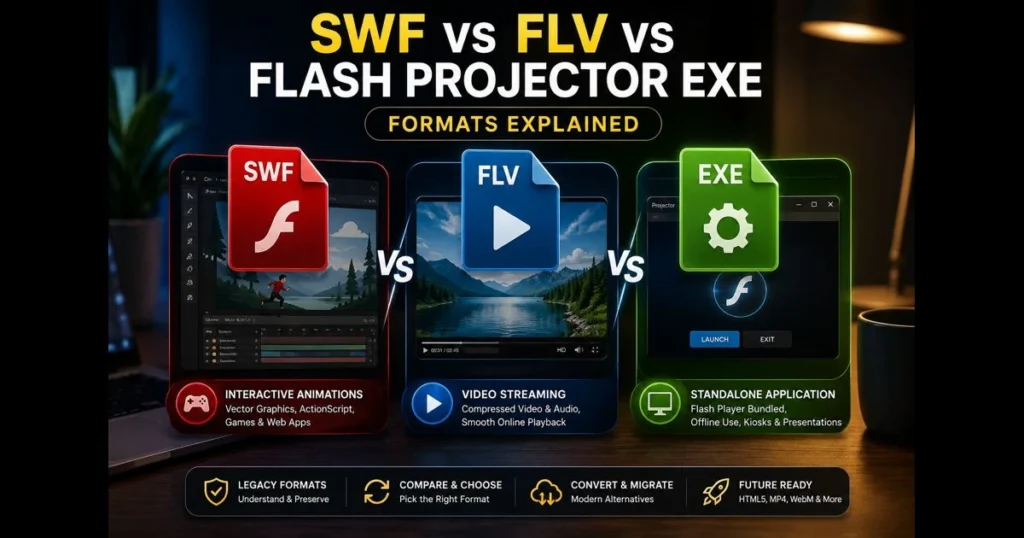
When teams compare SWF and FLV, they’re tackling a practical question: how to package and deliver animation or video effectively. Flash-era assets behaved differently; a banner game built as SWF is distinct from an FLV video wrapped in a player or a Flash Projector EXE designed for kiosks. This guide outlines each format’s strengths, limitations, and modern workarounds, enabling you to preserve legacy projects, migrate content, or make informed distribution choices today. Related reading: what is swf file.
We’ll clarify how the formats differ, where each still holds value, and the most reliable paths to test, convert, or emulate. If you need to play swf online for a quick audit, our built-in SWF Player (swf_player) can help you check functionality before deciding on conversion or a full rebuild.
- Understanding Flash File Formats
- What is SWF?
- What is FLV?
- What is Flash Projector EXE?
- SWF vs FLV: Key Differences
- SWF vs Flash Projector EXE: A Comparative Analysis
- FLV vs Flash Projector EXE: Use Cases and Applications
- Choosing the Right Format for Your Project
- The Future of Flash File Formats
1. Understanding Flash File Formats
Overview of Flash technology and its significance.
Flash powered a significant portion of early interactive web—vector animation, clickable ads, e-learning, and browser games—long before HTML5 emerged. Authors used Adobe Flash/Animate to draw, storyboard timelines, and script interactions with ActionScript, publishing compact deliverables that worked across browsers with a plugin. Although Adobe ended support for Flash Player in 2020, the impact remains: museums, courseware libraries, and creative studios still maintain archives built on these formats. (See: Adobe SWF Documentation.) At the same time, SWF and FLV are now obsolete on the modern web: browsers and mobile operating systems no longer support the plugin or container natively, so new projects should not target these formats. Accessing legacy content generally requires emulation (for interactivity) or conversion/transcoding (for video) rather than direct deployment.
Importance of different file formats in multimedia applications.
Various Flash formats emerged to serve different purposes. SWF focused on interactive vector-based experiences; FLV specialized in delivering encoded video smoothly; the Projector EXE bundled everything—player plus content—into a standalone app for locked-down environments. Knowing which container you have influences how you approach migration, testing, and content optimization today. In practice, these formats are best treated as legacy containers: use emulators, standalone projectors in controlled environments, or convert to web-native outputs for distribution rather than attempting direct, plugin-based playback.
2. What is SWF?
Definition and basic characteristics of SWF files.
SWF (Small Web Format or Shockwave Flash) is a compiled file containing vector graphics, bitmaps, audio, and ActionScript code arranged on a timeline. Its compact nature stems from vector graphics scaling cleanly, and the format supports efficient compression. Historically, playback relied on a browser plugin or a standalone player. If you’ve ever searched for “what is an SWF file,” you likely encountered a self-contained interactive movie or widget rather than pure video.
Common use cases for SWF files in web applications and games.
SWF excelled in mini-games, animated infographics, interactive ads, and UI-heavy widgets for web applications. Designers could tween shapes, trigger sounds, check user input, and even call remote services via ActionScript. Many e-learning modules utilized SCORM wrappers around SWF lessons. Today, the SWF format is outdated and referenced primarily for historical and archival context; playback typically requires emulation or a rebuild, and you may load an SWF in an emulator only to audit behavior before migrating.
HTML5 as the modern replacement for SWF.
HTML5 technologies have largely replaced SWF for interactive and animated experiences. Canvas and WebGL power games and simulations (e.g., with frameworks like Phaser or Three.js); SVG, CSS, and libraries such as Lottie handle scalable animations and UI effects; Web Audio covers sound synthesis and playback; and JavaScript frameworks (React, Vue, Svelte) deliver rich, component-driven interfaces. In practice, interactive ads ship as HTML5 creatives, e-learning modules publish to HTML5-based SCORM/xAPI packages, and many legacy SWF mini-games are rebuilt with Canvas/WebGL or exported to video when interactivity is nonessential.
3. What is FLV?
Definition and basic characteristics of FLV files.
FLV (Flash Video) is a container designed for compressed video and audio. It focuses on delivering moving images and sound rather than interactivity, ensuring smooth progressive playback with minimal buffering. Historically, FLV carried Sorenson Spark or VP6 video, later adopting H.264 variants, while audio was typically encoded as MP3 or AAC.
Popular use cases for FLV files in video streaming and online platforms.
Before HTML5 video became standard, FLV was widely used for streaming on early platforms with Flash-based players. Editors could scrub, buffer, and customize a player consistently across browsers. Nowadays, FLV primarily exists in archives and legacy CMS libraries; for modern delivery, teams usually rewrap or transcode to MP4, WebM, or adaptive protocols, keeping FLV only as a source format to convert.
Modern alternatives: MP4 and WebM for streaming.
Today’s preferred streaming formats are MP4 (typically H.264/H.265) and WebM (VP9/AV1). They play natively via the HTML5 <video> element across modern browsers and devices, benefit from hardware acceleration, and integrate cleanly with adaptive streaming (HLS/DASH), captions, accessibility tracks, and DRM when required. Compared with FLV, these formats offer broader compatibility, better compression efficiency, and simpler delivery pipelines without relying on the deprecated Flash runtime.
4. What is Flash Projector EXE?
Explanation of Flash Projector EXE files and their unique features.
A Flash Projector EXE is a standalone executable that packages a Flash runtime with your SWF. Double-clicking it launches the content without requiring a browser plugin. Because the runtime is bundled, behavior is consistent across machines with the same OS, allowing creators to request native-like features such as full-screen mode and file system dialogs.
Use cases for Flash Projector EXE in standalone applications.
These executables were staples for kiosks, CD/DVD titles, trade shows, and classrooms—anywhere internet access was unreliable or IT policies blocked plugins. They remain useful for offline presentations or exhibits on controlled Windows systems. On macOS, the equivalent was a standalone app, delivering a similar experience without external dependencies.
5. SWF vs FLV: Key Differences
Comparison of file sizes and quality between SWF and FLV.
Think of SWF as a programmable canvas and FLV as a video container. SWF excels at crisp lines and text because vectors scale smoothly; a complex animation with code remains compact. FLV scales quality through bitrate and codec choice; higher motion or detail results in larger files. If you embed FLV video inside an SWF wrapper, the combined file size increases to accommodate the video payload—no magical compression occurs from the wrapper.
Differences in compatibility with various platforms and devices.
Modern browsers block the old plugin, so native SWF playback requires emulation or conversion. Ruffle, a popular emulator, successfully runs many ActionScript 1/2 projects, although it has limited ActionScript 3 support. FLV faces a similar issue: the container itself is not natively supported by current browsers, prompting transcoding to MP4/H.264 or WebM for delivery. For long-term reach, run SWF through an emulator for interactivity or convert it to MP4 when the content is primarily linear video.
6. SWF vs Flash Projector EXE: A Comparative Analysis
How SWF files integrate with web browsers compared to EXE files.
On the web, SWF used to load within an HTML page via the Flash Player plugin, allowing interaction with JavaScript. This integration enabled hybrid web applications, like drag-and-drop quizzes in learning portals. A Projector EXE, however, runs outside the browser, cannot share state with the page, and behaves like any desktop application. Security policies also differ; some APIs allowed in Projector builds were restricted in browsers.
The role of Flash Projector EXE in offline content delivery.
For environments requiring zero dependency on connectivity or corporate browser settings, the Projector is ideal. For museum installations, factory terminals, and on-the-road demos, a signed EXE on a locked-down machine can be more reliable than a URL. Keep in mind that an EXE is Windows-specific; for broader distribution, parallel builds or a cross-platform emulator may be necessary.
7. FLV vs Flash Projector EXE: Use Cases and Applications
When to use FLV for streaming video content.
If your content is purely video and aimed at the web, FLV should act as a source format, not your final destination. Transcode it into MP4/H.264 or WebM for resilient video streaming. While FLV can still fit within some legacy authoring pipelines, your audience will likely prefer HTML5-compatible formats.
Advantages of using Flash Projector EXE for presentations and offline usage.
In controlled environments—sales kits on locked laptops, trade show loops, or gallery screens—a Projector EXE provides predictability. You can preload assets, enforce full-screen mode, and eliminate browser-related surprises. It’s perfect for offline presentations where you hand someone a USB stick and expect the same playback every time. Just factor in code signing and IT approvals if distributing beyond your team.
8. Choosing the Right Format for Your Project
Factors to consider when selecting between SWF, FLV, and Flash Projector EXE.
Start with the nature of your content:
- Interactivity first: Preserve or rebuild SWF behavior via an emulator or a modern HTML5 rewrite.
- Video first: Treat FLV as a source to transcode into MP4/WebM for broader reach.
- Environment constraints: If the venue lacks internet or restricts browsers, a Projector EXE can still be viable on Windows.
- Audience devices: Phones and tablets won’t run EXEs or legacy plugins; plan for HTML5 playback options.
- Security and longevity: Minimize unsigned executables and proprietary dependencies where possible.
For quick assessments, use our built-in SWF Player (swf_player) to determine whether your file renders and how far interactions go. If the content is mainly linear animation, it may be quicker to convert swf to mp4 and layer new interactivity with standard web components.
Best practices for optimizing content based on format choice.
Effective content optimization is format-aware:
- For SWF emulation: Simplify timelines, remove unused library items, and stick to well-supported ActionScript features. Consolidate vector complexity to minimize CPU load.
- For FLV transcoding: Start with the highest-quality source available. Choose modern codecs and a bitrate ladder suited to your audience’s bandwidth. Generate poster images and captions for accessibility.
- For Projector EXE: Preload assets, disable unnecessary right-click menus, and ensure graceful failures on missing fonts or display scaling quirks. Document the target OS and create checksums for kiosk integrity verification.
- For web delivery: Provide fallbacks—HTML5 video for FLV replacements, or a “Try Legacy Mode” button that utilizes an emulator for SWF-only modules.
If you manage a library, label assets clearly: SWF interactive, FLV source, or Projector build. This inventory saves hours when stakeholders request quick updates or platform changes.
9. The Future of Flash File Formats
Current trends in multimedia content delivery.
Modern multimedia content leans on open web technologies: Canvas and WebGL for 2D/3D graphics, WebAssembly for performance-heavy logic, and HTML5 video with adaptive streaming for scalability. Preservation efforts have also advanced; emulators like Ruffle enable cultural institutions to keep historic works accessible within standard browsers without the original plugin. The direction is clear: prioritize web-native experiences and reserve proprietary bundles for edge cases.
The impact of technological advancements on Flash formats.
As browsers tighten security and mobile usage dominates, native SWF and FLV playback is unlikely to return. The quality of emulation and conversion continues to improve. Emulators expand support for ActionScript features annually; transcoding pipelines reliably handle color, captions, and variable frame rates. For many teams, the practical approach is two-fold: emulate to review behavior, then rebuild essential components in HTML5 or re-render timelines as video.
For new projects, avoid locking yourself to outdated tools. If safeguarding an archive, create a structured plan: determine which SWFs will be emulated, which will be reauthored, which FLVs will be transcoded, and where a Flash Projector EXE remains the simplest solution for specific exhibits or device pools.
To summarize, SWF is best seen as an interactive package, FLV as a video container, and Projector EXE as a standalone wrapper for controlled machines. Use them wisely—and only when necessary. To get started, upload a sample to our SWF Player (swf_player) for testing, then decide whether to emulate, rebuild, or convert. If your next task is a quick repackage, focus on the simplest win: convert SWF to MP4 for linear pieces and replace FLV with HTML5-friendly video. Your audience—and your future self—will appreciate it.
Frequently Asked Questions
What is the main difference between SWF and FLV files?
SWF (Small Web Format) files are primarily used for animations and interactive content, while FLV (Flash Video) files are specifically designed for delivering video content over the internet.
Can SWF files contain audio and video?
Yes, SWF files can incorporate audio, video, and interactive elements, making them versatile for various multimedia applications.
Which format is better for streaming video online?
FLV is generally better for streaming video online due to its efficient compression and support for progressive download, making it ideal for web video playback.