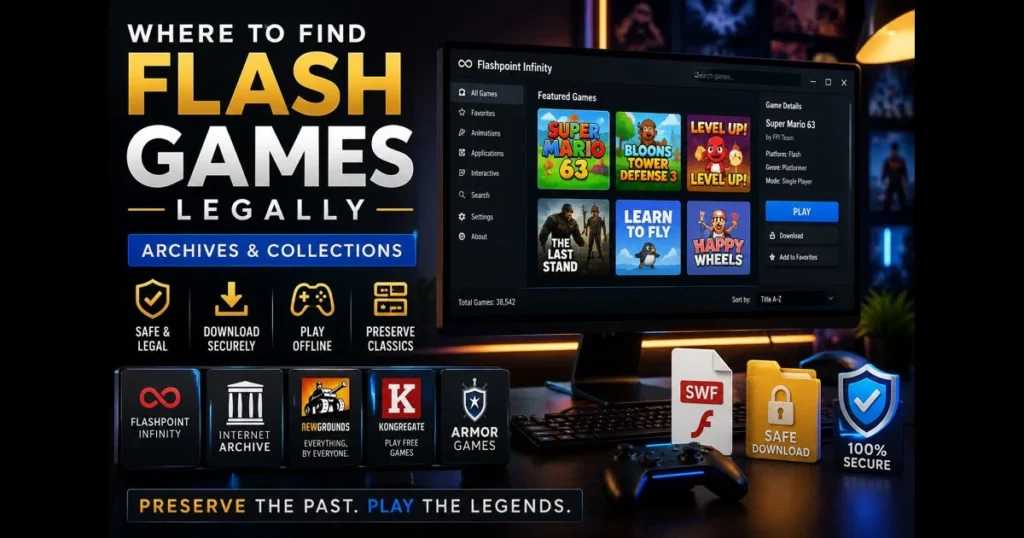
Flash may have vanished from mainstream browsers, but the memories endure. If you want to download flash games legally—free from shady installers or dubious mirror links—you’re in the right place. This guide outlines reputable flash game archives, preservation projects like BlueMaxima’s Flashpoint, and curated collections where you can download flash games safely. We’ll discuss the changes after Adobe discontinued Flash Player, the importance of legal gaming sources for creators and players, and tools that let you play SWF files online today. Whether you’re nostalgic for classics or just curious about flash games, you’ll find reliable options and a clear path to play.
- Understanding Flash Games and Their Legacy
- The Importance of Legal Downloads
- Top Flash Game Archives to Explore
- Flashpoint: The Ultimate Flash Game Preservation Project
- Notable Collections of Flash Games
- How to Safely Download Flash Games
- Future of Flash Games: Alternatives and Emulators
- Community and Resources for Flash Game Enthusiasts
1. Understanding Flash Games and Their Legacy
Flash games defined an era of accessible, experimental play. From school library PCs to home desktops, a single plugin unlocked thousands of inventive titles—platformers, tower defense, and quirky puzzle games. Sites like Newgrounds, Armor Games, and Kongregate launched careers for indie developers who later produced commercial successes. A quick session with a quirky game could inspire a lifelong interest in game development. (See: Flash game – Wikipedia.)
Then technology shifted. Security concerns, the rise of mobile platforms, and a push towards open web standards led to Flash’s retirement—Adobe ended support in 2020, and browsers followed suit. Many online games became difficult to access overnight, but this change didn’t erase their value; it challenged preservation efforts. Related reading: play swf online.
This conversation about flash games isn’t just nostalgia; it’s about preserving them as vital pieces of digital culture for new players who missed the first wave. Related reading: ruffle vs flashpoint.
2. The Importance of Legal Downloads
Downloading SWF files from file-sharing sites may seem easy—until it isn’t. Malware, copyright issues, and broken builds are rampant on unvetted mirrors. “are flash files safe?” The answer is clear: only when they come from trusted sources and are run with the right tools.
Legal gaming sources and preservation projects vet content, respect licensing, and document provenance. This approach keeps creators informed, prevents the spread of tampered files that could damage your system, and ensures the game you love plays as intended.
Plus, curated platforms are easier to search, safer to install, and much more reliable than chasing disappearing links.
3. Top Flash Game Archives to Explore
When you’re ready to hunt down your favorites, start with flash game archives focused on preservation and permission. These platforms simplify finding, downloading, and running classic titles without wrestling with browser settings.
Internet Archive (archive.org)
The Internet Archive hosts a wide range of preserved software, including playable Flash content through in-browser emulation or downloadable files. You’ll find curated lists, historical snapshots, and playable pages powered by modern emulation—no plugin hassles, just a focus on historical context.
Newgrounds
Newgrounds remains a cornerstone for creators and fans. Many legacy games are accessible via Ruffle (a Flash Player emulator) directly on game pages, while some developers offer downloadable builds. Searching by author can reveal updated versions and licensing notes, making it easier to support original creators.
Kongregate (Legacy Catalog)
Kongregate hosted thousands of Flash titles and still provides legacy pages for many of them. Numerous games run via Ruffle on-site, and some developer profiles link to downloadable builds or modern ports. Searching by game or creator can surface official versions and notes on permissions.
Armor Games (Legacy Pages)
Armor Games’ legacy pages spotlight classics and often link to modern re-releases or downloadable alternatives. If you remember a title from its sponsorship splash screen, this is a practical stop to find the most canonical version available.
Itch.io (Developer Portfolios)
Many developers have uploaded their old Flash titles to Itch.io, often with instructions or wrapped in standalone players. Dealing directly with creators clarifies permissions and versions—and you can frequently tip or buy updated editions.
GitHub and Personal Sites
Open-source recreations, source drops, and postmortems often live on GitHub or personal developer sites. These resources are invaluable for understanding how a game worked and sometimes offer legal downloads when the creator has granted explicit permission.
These options aren’t merely convenient; they’re built to last. Sticking with reputable collections ensures stability and respect for creators—two pillars of effective flash game preservation.
4. Flashpoint: The Ultimate Flash Game Preservation Project
BlueMaxima’s Flashpoint is the flagship preservation effort for web games and animations, dedicated to rescuing, documenting, and making playable titles that would otherwise be lost. Fans frequently recommend favorite Flashpoint archive games because the catalog is vast, curated, and actively maintained.
Why Flashpoint stands out
- Preservation-first approach: Content is curated with attention to authenticity and context.
- Launcher-based safety: A contained environment runs games without needing the deprecated browser plugin.
- Searchable library: Titles are indexed with tags and author info, making it possible to find that hazy memory from 2008.
How to download and use Flashpoint
- Visit Flashpoint’s official website (search for “BlueMaxima Flashpoint” to avoid imitators) and choose the edition that fits your needs—one downloads games on demand, while the other provides a comprehensive offline package.
- Download the launcher archive to a trusted folder. Verify checksums if provided to ensure file integrity.
- Extract the archive fully before running. Launch the application and let it set up its internal directories.
- Use the built-in search to find your game. Click to download the entry, then launch it from within Flashpoint—no system-wide Flash install required.
- Optionally, configure controller input, fullscreen, and caching preferences within the launcher’s settings.
Flashpoint runs content in a controlled environment, dramatically reducing security risks compared to random SWF downloads and outdated plugins. It’s a clean, reliable route for downloading flash games and keeping them playable offline.
5. Notable Collections of Flash Games
Beyond broad archives, focused collections help you dive into a genre, a creator’s work, or a snapshot of web culture. Think of these as museum wings curated around specific themes.
Creator Curations
Many developers have compiled their complete Flash-era libraries—concept pieces, jam entries, and cult favorites—on Newgrounds or Itch.io. This respects permission boundaries and often includes notes about development, remasters, and support status.
Genre Playlists
If you’re a fan of tower defense, physics puzzlers, or pixel platformers, you’ll find playlists and user-made bundles across flash game archives and the Internet Archive’s software section. These lists are perfect for sampling variations on mechanics from a specific timeframe.
Remasters and Ports
Some studios have brought their Flash hits into modern engines and storefronts. While these aren’t original SWF downloads, they can be the best way to play a canonical edition with updated support—ideal if you prefer a controller or achievements.
Together, these collections make discovery enjoyable again. They also direct your enthusiasm into spaces where creators are still reachable and, in some cases, actively updating their work.
6. How to Safely Download Flash Games
Security isn’t just a consideration; it’s imperative. Treat every file like a tiny executable adventure—verify, isolate, and run it through trusted tools.
Step-by-step: safe and legal
- Find a legal source: Start with Flashpoint, Newgrounds, the Internet Archive, or a creator’s own page. Read licensing or permission notes if available.
- Confirm the page and file: Use HTTPS, check the domain carefully, and avoid “repack” sites. Prefer official mirrors if available.
- Scan before you run: Use antivirus software and, if possible, a second-opinion scanner. Keep definitions updated.
- Run in a controlled environment: Use a trusted launcher (e.g., Flashpoint) or an emulator. Avoid old browser plugins.
- Check integrity: Verify checksums or signatures if provided. Unexpected file sizes or names are red flags.
- Document provenance: Save the source link with your download. This way, you can share recommendations with others safely.
Use tools that reduce risk
Launchers and emulators isolate content from your main system. If you need a quick test or want to play SWF files online without system-wide installations, try our site’s built-in tool:
Drop your .SWF file here
or click to browse — the game starts instantly
Your file never leaves your device. Everything runs locally via the Ruffle emulator.
If you’re still questioning whether flash files are safe, remember: files from legal archives, run through vetted tools, are your best bet for safety. Random mirrors aren’t worth your trust—or time.
7. Future of Flash Games: Alternatives and Emulators
Preservation efforts extend beyond archiving. Developers and volunteers are rebuilding the runtime experience to ensure games survive beyond the original plugin.
Ruffle and other flash game emulators
Ruffle is a modern, open-source emulator that plays many SWF files without the old Flash Player. It integrates on sites like Newgrounds, allowing content to run directly in your browser. For offline play, desktop builds help manage local files while reducing exposure to plugin-era security issues.
Other options include Lightspark, an open-source Flash player focused on ActionScript 3 with partial compatibility, and Google’s discontinued Swiffy, which converted some simple SWFs to HTML5 and now serves mainly as an archival reference where exported builds exist. For debugging or single-player tinkering, tools like Cheat Engine can modify game memory; while not emulators, they can aid preservation testing when used ethically and within legal boundaries.
Runtimes vs. Libraries: Ruffle vs. Flashpoint
Think of Ruffle as a runtime that executes SWFs directly, while Flashpoint offers a curated library and launcher that sets up the right environment for each game. If you want a massive, organized catalog with one-click launching, Flashpoint is the clear choice. If you have a known-good SWF and wish to emulate it in a fresh runtime, Ruffle is sleek and lightweight. Many players use both depending on their needs.
HTML5 ports and remasters
Many creators are porting their Flash classics to HTML5 or launching remasters on PC storefronts. While these aren’t technically Flash anymore, they preserve the design and feel—often with better performance and ongoing support. If you want to keep a beloved title alive and easy to share, remasters can be the most future-proof path.
8. Community and Resources for Flash Game Enthusiasts
Preservation thrives on shared knowledge. Communities catalog working builds, celebrate hidden gems, and help newcomers find safe paths to play.
Where to connect
- Newgrounds forums: Creator-led threads often discuss legacy support and licensing status.
- Flashpoint community channels: Linked from the project’s official site, these spaces surface new curations, fixes, and guidance.
- Itch.io communities: Follow your favorite creators to catch uploads of legacy Flash games and modern builds.
Preservation Projects
- Internet Archive collections: User-curated lists help identify working entries and contextualize game history.
Staying current on preservation
- Track Flashpoint’s announcements for new entries and launcher updates.
- Monitor Ruffle’s release notes to see newly supported features and formats.
- Subscribe to developer newsletters for updates on remasters and legal download options.
No need to become an archivist. With a little attention to source and tools, you can help keep this culture alive for the next person who discovers it.
Wrap-up: Download Classics, Support Preservation, Play Safely
Finding a working copy of a favorite Flash game should feel like rediscovering a mixtape, not defusing a bomb. Stick to legal gaming sources—Flashpoint, Newgrounds, the Internet Archive, and creator-run pages—to download flash games without risking your system or shortchanging the creators. Use emulators and launchers to keep files contained, and compare Ruffle and Flashpoint when choosing how to run a title. Lean on online collections when you’re ready to explore something new.
Ready to start? Grab a trusted launcher, test a SWF in
Drop your .SWF file here
or click to browse — the game starts instantly
Your file never leaves your device. Everything runs locally via the Ruffle emulator.
Frequently Asked Questions
Is it legal to download flash games?
Yes, it is legal to download flash games if they are offered by the original developers or through legitimate platforms that have the rights to distribute them. Always ensure that you are downloading from authorized sources.
Where can I find legally downloadable flash games?
You can find legally downloadable flash games on platforms like Kongregate, Newgrounds, and itch.io, which host games with permissions from the developers. Additionally, some game developers offer their titles directly on their websites.
What should I do if I find a flash game that I want to download?
Before downloading, check if the game is available for purchase or free download on official websites or licensed platforms. If the game is not available through these channels, it is best to avoid downloading it to respect copyright laws.